
Daniel Tiger: Play at Home
PBS KIDSEducation
3.328.00 Reviews
- Version
- 3.1.1
- Installs
- 10.00K
- Age Rating
- Everyone
Screenshots



Our Review of Daniel Tiger: Play at Home
 Analysis by Appyee
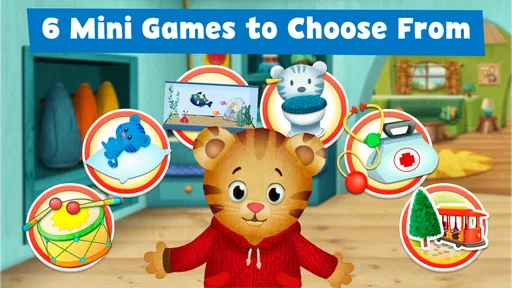
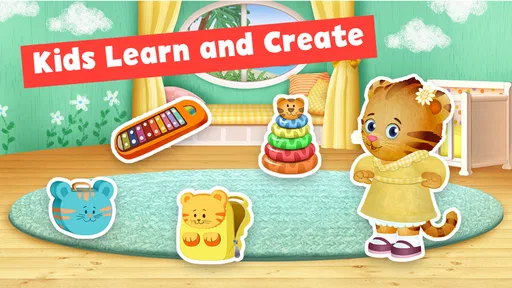
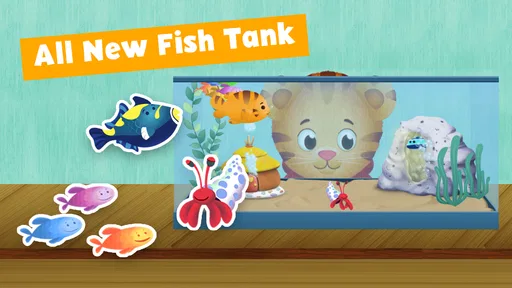
For a first visit, I’d treat Daniel Tiger: Play at Home as a small pretend-play space rather than a lesson plan or a game with a finish line. Children can move around Daniel’s home and try familiar make-believe activities, such as playing doctor, making music, or caring for fish. That gives a young child an easy way to begin: pick something that catches their eye, tap around, and see what happens. The app is an education title from PBS KIDS, and its gentle, familiar setting is its clearest strength.
A welcoming place to start
The first useful choice is simply to follow your child’s interest. If they want to play doctor, let that lead; if they head for the music, there is no need to steer them toward a particular sequence. I find that this open-ended approach works best for preschoolers who enjoy acting out everyday roles. It is less suited to a child looking for timed challenges, levels to beat, or a clear score to improve.
For a first session, sit nearby and let your child take the lead instead of demonstrating every possible action. A simple prompt such as “What should we do next?” can turn tapping into a little conversation. If a child is unsure, choosing one familiar activity together is a reassuring start; once they understand that the screen responds to their choices, they can explore more independently.
What to expect from the activities
The appeal is in using familiar home life as a springboard for pretend play, not in following a long curriculum. Making music or looking after fish gives a child something concrete to imagine and talk about. I would use those moments to ask what the characters might need or what your child wants to try next. The app can prompt the play, while the richer learning often comes from the conversation around it.
That distinction matters when comparing it with other children’s education apps. Many are built around matching, counting, tracing, or short puzzles, with a more obvious right answer. This one makes more sense for a child who likes role-play and recognizable routines. If your goal is practicing a specific school skill, a focused activity app may be a better fit; if you want a gentle digital setting for imaginative play, Daniel’s home has a clearer purpose.
Exploring the Neighborhood
Once you dive into Daniel Tiger: Play at Home, you’ll find yourself in a vibrant, animated world that mirrors the show. Kids can navigate through different locations in the neighborhood, like Daniel's house, the bakery, and the music shop. Each area is packed with interactive elements that encourage exploration and discovery.
What really stands out here is the attention to detail. The graphics are colorful and engaging, capturing the essence of the show perfectly. The animations are smooth, and the sound effects are spot on, making the whole experience immersive for kids.
Learning Through Play
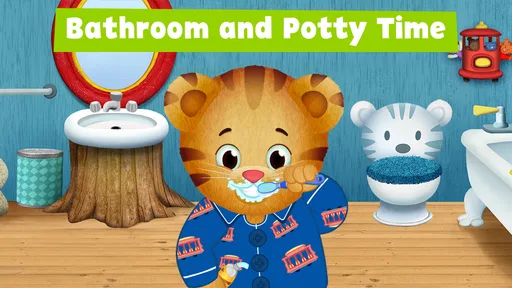
The app’s core philosophy is learning through play, and it nails this concept. Every location is a mini-adventure that teaches something valuable. Kids can bake bread with Baker Aker, play music with Music Man Stan, or help Daniel with his bedtime routine. These activities are not only fun but also educational, fostering skills like problem-solving, creativity, and empathy.
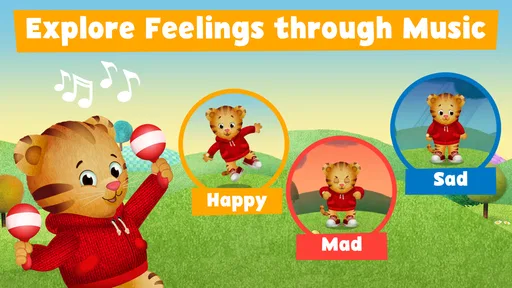
One of the best parts is the app's emphasis on social-emotional learning. It weaves in lessons on kindness, sharing, and understanding emotions, which are crucial for young kids. It’s like having a digital friend guiding them through life’s little lessons.
User-Friendly Interface
The app’s interface is super intuitive. It’s designed with little fingers in mind, so navigation is a breeze. Even if your child isn't proficient with technology yet, they’ll have no trouble getting around. The menu is straightforward, and the icons are large and easy to tap.
Parents will appreciate the lack of ads and in-app purchases, making it a safe environment for kids. It’s refreshing to find an app that prioritizes a child’s experience without constantly nudging for more money.
First sessions and everyday routines
A practical first-use routine is to introduce the app when you have a few calm minutes together, rather than handing it over during a rushed transition. Let your child choose an activity, stay close while they learn how the scenes respond, and then ask them to describe what they are pretending to do. That small exchange helps you judge whether the app is holding their attention for the right reasons, rather than simply keeping them busy.
It can also fit a quiet moment at home when a child wants to play but an adult needs to prepare dinner or finish a small task. I would still start the activity together, then check in rather than assuming the app will manage the whole stretch of time. For a child who enjoys familiar characters and make-believe, it can be a useful prompt; for a child who quickly wants a new challenge, the same open format may feel repetitive.
One useful trade-off is that free exploration gives children room to make their own choices, but it may leave some parents wondering what counts as progress. I wouldn’t measure success by completing every activity. A child choosing a role, sticking with it for a little while, or telling you what happened can be a more meaningful outcome than tapping through every scene.
Engagement and Replayability
Kids are known for their short attention spans, but Daniel Tiger: Play at Home manages to keep them engaged. The variety of activities ensures that there’s always something new to explore. From making snacks in the kitchen to fixing musical instruments, there’s no shortage of fun tasks.
The app also updates regularly with new content, keeping it fresh and exciting. This means your child will have reasons to come back again and again, ensuring it doesn’t just become another app gathering digital dust.
How it fits beside other options
Compared with a video, this kind of interactive play asks the child to make choices rather than only watch a scene unfold. Compared with a structured learning game, it offers less of a measurable practice loop and more room for improvisation. That makes it a reasonable middle ground for a child who already likes Daniel Tiger and wants to play out familiar situations, but not necessarily the best choice for parents seeking drills, a reading program, or a clear sequence of lessons.
The best way to decide whether it suits your family is to observe what your child does after the novelty of the characters wears off. Do they return to a favorite activity and invent variations, or do they seem to be waiting for the app to tell them what to do? The first response suggests the open-ended style is working. The second may mean a more guided app, a real-world toy, or shared pretend play would be more satisfying.
User-Friendly Interface
The app’s interface is super intuitive. It’s designed with little fingers in mind, so navigation is a breeze. Even if your child isn't proficient with technology yet, they’ll have no trouble getting around. The menu is straightforward, and the icons are large and easy to tap.
Parents will appreciate the lack of ads and in-app purchases, making it a safe environment for kids. It’s refreshing to find an app that prioritizes a child’s experience without constantly nudging for more money.
Practical details for parents
The app costs $2.99, so I’d think of it as a paid, focused activity rather than a free sampler. Its average rating is 3.2 from 78 ratings, with 27 written reviews, and it has over 10,000 installs. Those figures suggest a modest audience and mixed reactions, so I would weigh the fit with your child’s play style more heavily than assuming it will suit every family.
It is rated Everyone, runs on operating systems from version 7.0, and its current version is 3.1.1. It was released on October 18, 2019. Before paying, I’d check that the device you plan to use meets the minimum system requirement and consider whether your child is drawn to the character and home-based pretend play. That simple check can prevent buying an app whose central appeal does not match their interests.
A common point of confusion is expecting every tap to teach a named skill or produce a visible reward. I would approach the activities as prompts for imaginative play, not as a formal course. Another is expecting a child to navigate independently on the very first try: staying with them at the beginning lets you see which scenes make sense to them and where they need a little help.
Parental Controls and Settings
For those concerned about screen time, the app includes a parental section where you can set time limits. It’s a handy feature for ensuring that your child’s screen time is balanced with other activities. Plus, the app includes tips for parents on how to extend the learning beyond the screen, which is a thoughtful touch.
In terms of accessibility, the app performs well across different devices, whether it’s a tablet or a smartphone. It’s optimized for both iOS and Android, so you can easily download it from your preferred app store.
Choosing the right moment to use it
I’d save it for times when a child has enough attention to explore, rather than using it as a guaranteed distraction in a public place or during a difficult handoff. Pretend play tends to work better when the child can pause, talk, and make choices. A parent nearby can also connect the on-screen activity to something real: after playing doctor, a child might talk about caring for a toy; after making music, they might want to sing or tap out a rhythm away from the device.
That does not mean every session needs to become a teaching exercise. Sometimes the value is simply that a child enjoys inventing a small story. I’d keep the conversation light, follow their lead, and stop when interest fades. If your child prefers fast rewards, competitive play, or tasks with unmistakable completion, another kind of app will likely be a better match.
Final Thoughts
Overall, Daniel Tiger: Play at Home is a charming and valuable addition to any parent’s app library. It offers a perfect blend of fun and education, all wrapped up in a delightful package that kids will love. If you’re looking for an app that not only entertains but also enriches, this one is definitely worth downloading.
So, go ahead and let your child embark on a journey with Daniel Tiger. It’s a small investment for a big reward in your child’s learning and development.
My recommendation
I’d choose this for a young child who already enjoys the show’s world, likes pretend situations, and benefits from an adult occasionally joining in. I’d skip it if you need a specific academic skill builder, a highly guided game, or an activity that reliably occupies a child without supervision. The $2.99 price makes the decision fairly straightforward: consider whether a familiar character and open-ended home play are worth paying for in your household.
For a first meaningful session, start with one activity your child recognizes, let them make the next choice, and talk together about the little story they create. If that leads naturally to more imaginative play away from the screen, the app is doing what I’d want it to do. If the child loses interest or keeps waiting for more direction, there’s no need to force it; a different learning app or a real-world play activity may suit them better.
Verdict
Strengths of Daniel Tiger: Play at Home
- Engaging educational content for kids.
- Colorful and interactive graphics.
- Simple and intuitive navigation.
- Promotes emotional and social learning.
- Offline play is available.
Limitations of Daniel Tiger: Play at Home
- Limited content can become repetitive.
- In-app purchases may be needed.
- Requires regular updates.
- Audio quality can vary.
- Not suitable for older kids.
Other Releases by PBS KIDS
View All
PBS KIDS Video
Education4.3

PBS KIDS Games
Educational4.3

Daniel Tiger for Parents
Parenting3.7

Explore Daniel's Neighborhood
Educational3.4
Similar Picks in This Category
View All
Duolingo: Language Lessons
Duolingo4.7

Google Classroom
Google LLC2.8

Unacademy: Learn & Crack Exams
Unacademy3.2

Bible App for Kids
Life.Church4.4

Cake - Learn English & Korean
Cake Corp.4.7

Brainly: AI Homework Helper
Brainly4.5
Frequently Asked Questions
What is Daniel Tiger: Play at Home app about?
Daniel Tiger: Play at Home is an interactive educational app designed for young children. It offers a variety of mini-games and activities inspired by the popular PBS Kids show, "Daniel Tiger's Neighborhood." The app aims to teach children social-emotional skills through fun and engaging scenarios that mimic everyday life.
Is Daniel Tiger: Play at Home suitable for all age groups?
The app is primarily designed for preschoolers aged 2 to 5 years old. It focuses on age-appropriate activities that promote learning and development in a playful environment. While older children might enjoy some aspects, the content is tailored specifically for early childhood education.
Does Daniel Tiger: Play at Home require an internet connection?
No, Daniel Tiger: Play at Home does not require an internet connection to play. Once the app is downloaded and installed, all content is available offline. This makes it convenient for parents and children to use on-the-go, without worrying about data usage.
Are there in-app purchases or advertisements in Daniel Tiger: Play at Home?
The app is designed to be a safe environment for children, free from advertisements and external links. While some versions may offer additional content for purchase, parents can rest assured that the app is generally a one-time purchase with no unexpected costs.
What educational benefits does Daniel Tiger: Play at Home offer?
The app provides various educational benefits, focusing on social-emotional learning. Through interactive games, children learn important life skills such as sharing, empathy, and problem-solving. The app uses engaging storytelling and characters to reinforce positive behaviors and emotional intelligence.
